Using AI to create and update your service menu or pricing page so it actually converts
AI write service pricing page small business: rewrite your service descriptions and pricing tiers so the right clients actually reach out. Step-by-step guide.
You update your pricing page, send someone to it, and never hear back — not even a "no thanks." That silence is the worst kind of feedback. This post shows you how to use AI to write a service pricing page for your small business — rewriting your service descriptions and pricing structure so the right clients actually reach out.
The good news: you don't need to be a copywriter, and you don't need to start from scratch.
What you need before you start
ChatGPT — a tool made by OpenAI that lets you have a back-and-forth conversation with an AI; you type in plain English, it writes back. The free version now runs on GPT-4o, which works well for this. A paid ChatGPT Plus plan ($20/month) unlocks additional models and features if you want to push further. Claude by Anthropic is a strong alternative — free tier available, excellent for writing tasks.
Time required: About 90 minutes the first time. Faster once you've done it once.
Skill level: If you can copy and paste and describe what you do out loud, you can do this.
Why Your Service Pricing Page Is Losing Leads
Here's the thing about pricing pages that most people miss. By the time someone lands on yours, they're not browsing anymore — they're evaluating. They're asking: Is this for me? Do I trust this person? Is this worth it?
Most small business pricing pages fail that test in one of three ways. They list features instead of outcomes ("30-minute session" instead of "a clear action plan you can start this week"). They use insider language the client doesn't recognize. Or they throw three tiers at someone without any signal about which one makes sense for their situation.
Researchers at Nielsen Norman Group call this last problem a "choice overload" issue — too many options with too little guidance makes people freeze and leave. AI doesn't fix your strategy, but it's genuinely good at taking what you already know about your clients and reshaping your copy so it lands the way you intended.
Use AI as a Value-Translator to Rewrite Your Service Descriptions
Think of this like having a new employee who's great at writing but has never met your clients. Your job is to brief them well. Their job is to turn that briefing into words that work.
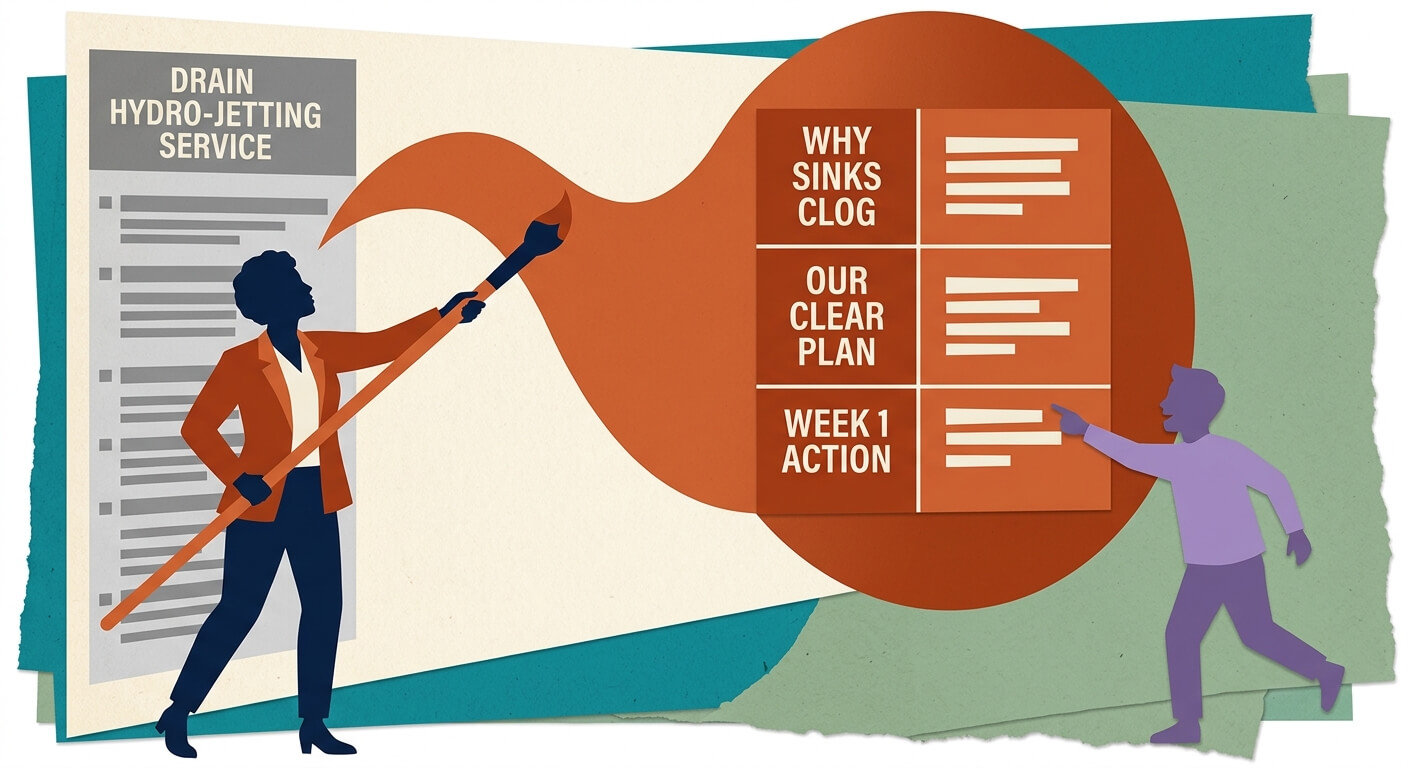
The biggest mistake on service pages is what I call the Expert's Blind Spot. You know your work inside out, so you describe it in the language you use internally. Your client doesn't speak that language. A plumber writes "drain hydro-jetting service." Their client is searching for "why does my sink keep clogging."
AI can bridge that gap — but only if you feed it the right context.
Open ChatGPT or Claude and start a new chat.
Type a brief description of who you help, what problem you solve, and how you solve it. Don't worry about making it pretty. A rough paragraph is fine.
Paste your current service description into the chat.
Send this prompt — it asks the AI to think like your client, not like you:
You are helping me rewrite a service description for my [type of business] website. My ideal client is [describe them: e.g., "a restaurant owner who's overwhelmed and doesn't have time to manage their own social media"]. They don't know industry jargon — they just know they have a problem. Here is my current description: [paste it here]. Rewrite this so it leads with the result the client gets, avoids technical terms, and makes someone say "yes, that's exactly what I need." Write it in a warm, direct tone. Keep it under 80 words.
Read the result. It probably won't be perfect, but it'll likely be clearer than what you started with.
Reply with specific tweaks: "Make it sound less formal" or "Add something about how fast they'll see results" or "The word 'leverage' doesn't sound like me — remove it."
That back-and-forth is the whole game. The first output is a first draft, not a final answer.
How to Prompt AI to Build a Conversion-Focused Pricing Table
Once your individual service descriptions feel right, it's time to think about structure. A pricing table isn't just a menu — it's a decision-making map. Conversion Rate Experts describe this as "choice architecture": the order, labeling, and framing of your tiers guides people toward the option you most want them to pick.
AI is surprisingly good at this if you explain what you're after.
List your services or packages in plain text — what's included in each, and roughly what it costs.
Open a new chat (or continue the same one) and paste your list.
Send this prompt to get AI to structure your tiers strategically:
I offer [describe your services]. I have three pricing tiers. My most profitable and best-fit option for most clients is [middle or top tier — pick one]. Rewrite my three tiers so that the [middle/top tier] feels like the obvious smart choice. Name each tier based on the outcome it delivers, not just "Basic/Pro/Premium." Lead each description with the main result the client gets. Keep each description under 60 words.
Review the tier names it suggests. You're looking for something that signals a transformation, not just a level. "Growth-Focused" lands differently than "Professional." "Done-For-You" lands differently than "Premium."
Generate 3–4 header name variations if you're not sure which works best. You can test these with real visitors later using a free tool like Microsoft Clarity or VWO — or simply swap them out manually month to month and watch your inquiry rate.
Connecting your descriptions to your table structure is the moment your page starts feeling like a real sales tool rather than a menu at a diner with no prices.
The "Decoy Effect" and Other Psychological Hacks to Implement with AI
This one's worth knowing because it works — and you can set it up in about five minutes with AI.
The Decoy Effect is when you offer a third option that makes your preferred option look like obvious value. Think of it like coffee sizing: the medium exists partly to make the large look like a deal. In service pricing, a stripped-down low tier and an expensive top tier can make your middle package feel like the sweet spot — because it kind of is.
Ask AI to help you frame it:
I want my middle tier to feel like the obvious best value compared to my other two. The low tier is [describe it]. The top tier is [describe it]. Rewrite the descriptions so the middle tier is positioned as the smart, complete choice — without making the low tier seem useless or the top tier seem excessive.
The AI won't set your prices — that's your call based on your margins and market. But it can help you frame them in a way that guides clients naturally.
Avoiding the "Bland Trap": How to Make Your AI-Generated Copy Sound Like You
AI-generated pricing copy has a tell. It tends to be smooth, inoffensive, and completely forgettable. The sentences are grammatically correct and devoid of personality — like a press release from a company that doesn't want to commit to anything.
You can fix this by adding a "voice brief" to your prompts.
Before you write anything, here are three things that are true about how I communicate: [e.g., "I'm direct and skip the fluff / I'm warm and like to reassure people / I use short sentences / I sometimes use humor"]. Write in that style throughout.
Then, after you get a draft, read it out loud. If you'd never say it in a conversation, change it. Swap "comprehensive solutions" for "everything handled." Swap "leverage our expertise" for "we've done this before and we'll handle it."
Your voice is a feature of your pricing page, not a nice-to-have.
When to Stop Trusting the AI: The Human-in-the-Loop Review Process
AI is a writing tool. It's not a lawyer, a financial advisor, or someone who knows your business better than you do.
Before your new pricing page goes live, run it through this mental filter:
Compliance check. If you're in a regulated industry — legal, financial, health, real estate — AI-generated descriptions may be missing required disclaimers or may overstate what your service includes. Have someone with domain knowledge review it. This isn't optional.
Accuracy check. Does the copy actually match what you deliver? AI has a tendency to add polish that doesn't always match reality. "Guaranteed results" phrasing is a classic AI fib that can create real problems.
Your gut check. Does it feel like you? Would a current client read it and nod? If it sounds like it was written by a very confident stranger, it probably needs another round of edits.
AI gets you 80% of the way there. The last 20% is yours.
Quick Audit: A 3-Point Checklist to Test Your New Pricing Page
Before you call it done, run through these three:
1. The "so what" test. Read each service description and ask: so what does the client actually get? If the answer isn't obvious in the first sentence, rewrite the first sentence.
2. The "which one is for me" test. Send the page to someone who doesn't know your business. Ask them: if you needed this kind of help, which package would you pick? If they shrug or say "I'm not sure," your tier structure needs more clarity.
3. The "does it sound human" test. Read it out loud. Every sentence. Anything that makes you stumble, re-read, or feel slightly embarrassed saying — cut it or rewrite it.
This isn't about perfection. It's about removing the friction between a visitor and a "yes."
What to do next
Once your pricing page is solid, the next natural move is making sure people actually find it — and that your calls-to-action give them a clear next step. If you want help thinking through how to write a contact form or inquiry response that matches the tone of your new page, check out our walkthrough on using AI to handle client inquiries and intake emails.
FAQ
Can I use the free version of ChatGPT to write a service pricing page? Yes — the free version now runs on GPT-4o, which works well enough to get started. A paid ChatGPT Plus plan ($20/month) unlocks additional models and higher usage limits if you find yourself hitting walls. For most small business owners, the free tier is a perfectly reasonable place to begin.
What if my services are too custom to fit into tiers? Good question — a lot of service businesses deal with this. You don't have to have tiers. Ask the AI to help you write a "starting from" style page that describes your most common project types and signals your approach without locking in prices. It's honest and still converts.
Will AI-generated pricing page copy sound too similar to my competitors? It can if you don't give it your voice brief and your specific business context. Generic prompts produce generic copy. The more specific you are about who you help and how you work, the more distinct the output.
Do I need to hire a copywriter to review the AI output? Not necessarily, but a second set of eyes never hurts. If you have a trusted client or colleague who knows your work, asking them to read it and flag anything that sounds off is usually enough. A copywriter becomes worth it if your page is a major revenue driver and you want to optimize it seriously.
How often should I update my pricing page? Any time your services change, your ideal client shifts, or you notice inquiries dropping off. Most small business owners update theirs once or twice a year. With AI, the rewrite takes a fraction of the time it used to — so there's less reason to leave stale copy sitting there.
Read Next
Using AI to create a simple content repurposing system that turns one blog post into a week of social content
MarketingHow to use AI to generate a week of short-form video scripts from your existing blog posts or service pages
MarketingUsing AI to monitor your top competitors' websites and social pages and alert you when they change pricing or promotions